How to Use Memes in YouTube Videos, Shorts, and Reels Without Hurting Your Content
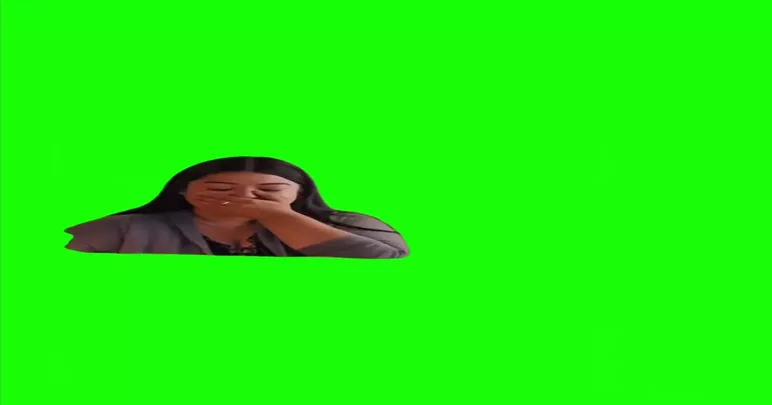
Meme clips can make a video feel livelier. A well-timed reaction after a joke or a sound effect at a mistake keeps viewers watching. A badly used one makes the video feel cluttered. This guide covers how to use memes in YouTube videos, Shorts, and Reels so they help your content instead of replacing it.
Use memes to support your point, not to fill space
Ask what the meme adds. A good meme does one of three things:
- Emphasises a feeling. You say "this was a disaster", and a one-second reaction clip confirms it.
- Breaks tension. After a long explanation, a quick joke resets attention.
- Makes a reference. A familiar line from a film shows the audience you share the same sense of humour.
If a meme does none of these, cut it. Viewers can tell when clips are placed only to look busy.
Keep it short
Most meme clips work best between one and four seconds. A longer clip interrupts your story. On short-form platforms, where people decide in seconds whether to stay, the meme should arrive and leave quickly.
Timing matters more than the clip
- Let your sentence finish before the meme starts, unless the overlap is the joke.
- Cut right after the punchline. Holding the clip too long makes the joke feel tired.
- Lower the volume of background music while a meme sound plays so the line is clear.
- Watch the video once without sound. If the meme confuses the visuals, move it.
Match the audience
An Indian audience will recognise Hindi film dialogue instantly, while a global audience may not. Use Bollywood or Indian references when your viewers are likely to get them. For a mixed audience, use reactions that rely on expression rather than language.
Match the platform
- YouTube. Longer videos can hold a few well-placed clips. See YouTube memes for ideas.
- Shorts and Reels. Vertical format, fast pace, and sound-led jokes work well. See Instagram memes.
- TikTok. Trends move quickly, so check what is current before you edit. See TikTok memes.
Check rights before you publish
This is the part many creators skip. Meme clips often come from films or TV, and the owners can file copyright claims. Consequences range from a muted video to lost earnings or a channel strike. Before you upload:
- Find where the clip originally came from.
- Prefer content that is marked as reusable, such as the no copyright memes section, and read its terms.
- If your channel earns money, be extra careful. Read our guide on commercial use.
- Do not assume that a short clip is always safe. Length does not decide whether something is allowed.
Common mistakes
- Using a meme in every other sentence, so none of them stand out.
- Choosing an old meme that audiences have already moved on from.
- Poor audio levels, so the meme is much louder than your voice.
- Mocking a real private person for a laugh.
Build one habit: after editing, remove the weakest meme. The video is usually better without it.